How APK Installation on Android Will Change After 30 September 2026
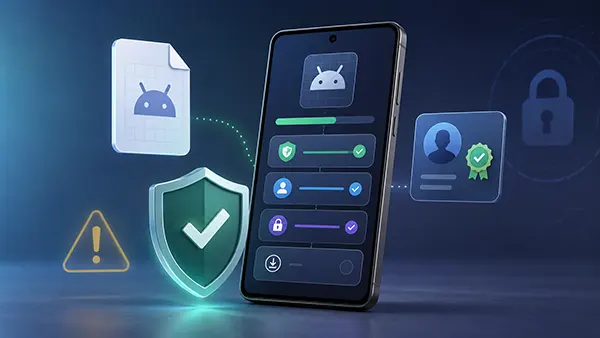
From 30 September 2026, Android will begin enforcing a new link between an app, its package name and a verified developer identity. The change has often been described as the end of APK sideloading, but that is not what Google has announced. The first enforcement stage is limited by country, device type and distribution source, while users who knowingly accept the risks will retain routes for installing software from unverified developers. The practical result is a more controlled installation process rather than a universal ban on files downloaded outside Google Play. For most people installing registered apps, little should change. The greatest impact will fall on developers who distribute APKs without registering them, users who rely on unsigned or modified builds, and organisations that have not checked how their internal apps are delivered. This guide explains the rules published by Google as of July 2026, including the regional launch, developer verification, package registration, Advanced Flow, ADB installations and the preparations needed before the deadline.
What Actually Changes on 30 September 2026
The first enforcement stage will apply in Brazil, Indonesia, Singapore and Thailand. On certified Android phones and tablets in those countries, apps installed or updated through seven participating stores will need to be registered to a verified developer. The stores named by Google are Google Play, HONOR App Market, OPPO App Market operated by OPlus, Samsung Galaxy Store, Palm Store operated by Transsion, vivo V-Appstore and Xiaomi GetApps. Google’s current developer guidance says the requirement will apply to certified devices running Android 7 or later, with the check delivered through Google Play services. This is important because the rule is not tied only to the newest Android release. A compatible older phone may receive the verifier through system-service updates even when its operating system version does not change. For distribution outside Google Play, the initial enforcement concerns mobile and tablet apps in the four selected countries; Google recommends registering other Android form factors as well to avoid problems during later expansion.
The deadline is narrower than many headlines suggest. Direct sideloading from a developer’s website and installation through stores that are not on the initial list will not become subject to the new verification rule on 30 September 2026 merely because that date has arrived. A user in the United Kingdom or another European country will not suddenly lose the ability to open an APK downloaded directly from the web under this first regional phase. There is, however, a separate requirement for Google Play developers: all Play package names must be registered by the same date, and apps that remain unregistered may be removed from Google Play under its updated console rules. Google also intends to expand developer verification globally during 2027 and beyond. Developers serving countries outside the initial group therefore have additional time, not a permanent exemption, and should treat the first launch as a staged introduction of a broader policy.
The technical check will be handled by Android Developer Verifier, a Google system service introduced during 2026. When an app is installed or updated in a covered situation, the service checks whether the app’s package name is connected to a verified developer and an accepted signing key. A package name is the unique identifier Android uses to distinguish one app from another, while the signing key helps prove who controls that app build. Verification does not mean Google has reviewed the app’s features, approved its business practices or guaranteed that it contains no harmful code. It is primarily an identity and ownership check intended to make repeated anonymous distribution more difficult. This distinction matters for users: a registered app has an accountable developer behind it, but it still requires the same care over permissions, payment requests, accessibility access and other sensitive behaviour. Developer verification adds traceability; it does not replace malware scanning or sensible judgement.
What Users Will Notice During Installation
For an app that has been correctly registered by a verified developer, the installation experience should remain largely familiar. Google states that users should not see a meaningful change when the app’s identity, package name and signing information match the registration record. This applies even when the developer distributes the APK outside Google Play, provided the app has been registered through the appropriate developer console. The new system therefore does not force every developer to publish in Google Play, and it does not make direct distribution dependent on Play review. A software publisher can continue offering APK files through its own website or an independent store. The difference is that broad distribution on certified devices will increasingly require the publisher to establish a verified identity and claim the app identifier. Users may still see ordinary Android security notices based on the download source or requested permissions, but developer registration should prevent the additional block reserved for software whose developer identity cannot be confirmed.
When an app is not registered, the result depends on where and how it is installed. During the first phase, a normal installation from one of the participating stores in the four launch countries may be blocked because Android cannot connect the package to a verified developer. The user will not be able to treat the warning as a routine one-tap message in the way some older sideloading prompts could be dismissed. Google is deliberately separating an informed power-user choice from a quick action that a scammer could talk someone through during a phone call. Users who genuinely need an unregistered app will have two supported routes: Android’s Advanced Flow or installation through Android Debug Bridge, usually called ADB. The first is intended for experienced consumers who still want a device-based installation process. The second is mainly a development tool that requires a computer, a cable or network debugging connection, and greater technical familiarity.
Updates deserve as much attention as first-time installations. Google’s published FAQ says an unregistered app can be installed or updated only while Advanced Flow is enabled or through ADB once the verification requirement applies. If Advanced Flow is disabled, an update for that unregistered app will fail. This can create a practical problem even for users who installed an APK long before the deadline: the app may remain on the device, yet future security fixes or feature releases may no longer arrive through the usual route. Developers who abandon an app without registering it could therefore leave users on an outdated build. The risk is higher for banking tools, password managers, messaging clients, device utilities and any software that handles sensitive data. Before relying on an APK for an essential task, users should check whether its developer has announced registration plans, whether updates use the same signing identity, and whether a dependable replacement exists if support ends.
Developer Verification and App Registration
Compliance involves two related steps. First, the developer must verify the identity of the person or organisation responsible for distribution. Second, the developer must register each app’s package name and connect it to the relevant signing key. Completing only one of these steps is not enough. Google Play developers manage the process through Play Console, while developers who distribute exclusively outside Google Play use Android Developer Console. Many established Play accounts have already completed identity checks, and Google says more than 99 per cent of eligible Play apps have been automatically registered. Automatic registration should still be checked rather than assumed. A package may remain unregistered because of ownership conflicts, unusual signing arrangements or missing account information. From 30 September 2026, every Play package must satisfy the registration requirement, so developers should review the verification page in Play Console and resolve any app marked as not registered or incomplete before the deadline.
Developers distributing outside Google Play can create a full-distribution account in Android Developer Console. The current fee is a one-off US$25 charge, and the account permits unlimited apps and installations once verification is complete. A personal account requires legal identity details, a legal address, a working email address and a working telephone number; Google may request a government-issued photo ID and proof of address. An organisation account also requires the organisation’s verified details, website and D-U-N-S number, except where Google provides a specific route for eligible government bodies. The account is linked to a Google payments profile so the legal information can be checked. These requirements may be straightforward for a registered company, but they can take time for a small developer using an old address, a trading name that does not match official records or an organisation without a D-U-N-S number. Starting early leaves room to correct discrepancies.
After identity verification, the developer registers the package name and proves control of the signing key. For an existing app, Android Developer Console can ask for a signed APK containing a unique registration snippet. The service checks the signature and uses it to connect the package to the verified account. This prevents an unrelated person from claiming a popular app merely by typing the same package name. Complications can arise when several developers have used an identical package name, when an app has been signed with several keys or when the original private key has been lost. Google gives priority based on known installation history and signing-key ownership, with an additional review route for disputed cases. Developers do not need to submit confidential features or explain an app created under a non-disclosure agreement, because the process concerns identity and ownership rather than content. Good key management is therefore central: losing the key may make registration or future updates impossible.
Options for Students, Hobbyists and Private Distribution
Google has created a limited-distribution account for people who build apps for learning, family use, classroom work or a small trusted group. This account is free, does not require a government ID and allows an unlimited number of registered apps to be shared with up to 20 authorised devices. The device limit applies to the audience, not to the number of APK projects a hobbyist can create. Google’s guidance describes a secure approval process using a link or QR code, user consent on the device and registration through Android Developer Console. This route is useful for a student sharing coursework with classmates or a developer maintaining a private household utility. It is not designed for a public audience, a commercial customer base or a community that regularly exceeds 20 devices. The general release is scheduled for August 2026, so anyone planning to use it should confirm the final enrolment steps and device-management rules when the feature becomes available.
ADB remains the least restricted route for development and testing. Google says APKs installed through Android Debug Bridge will not require developer verification, and the 24-hour waiting period associated with Advanced Flow will not apply. A developer can therefore build a modified app, test a private prototype or install a package that is not ready for public distribution without registering it first. This exception is important for local development, automated testing, repair work and research. It is less practical for ordinary consumer distribution because ADB normally requires developer options, debugging authorisation and access to a computer or another configured device. Asking inexperienced customers to use ADB can also introduce security and support problems. It should be treated as a technical testing route, not a convenient substitute for registering an app intended for a broad audience. Commercial developers who depend on manual ADB instructions are likely postponing rather than solving the distribution issue.
Managed enterprise apps have another exception. Software distributed through an organisation’s own store to managed devices does not need to complete the same verification process, because the organisation’s IT administrator has already controlled the device and approved the app. The exemption becomes less certain when the same APK is sent to personal phones, installed from a public website or used outside the managed environment, so registering the package remains sensible when mixed distribution is possible. Independent app stores can continue operating, and developers may still publish through whichever store or direct channel suits their users. The long-term change is that verified identity will become the normal requirement for broad installation on certified Android devices as the rules expand. Smaller stores will need to decide how they help developers check registration status, explain failures and manage apps that have several signing keys. The initial regional launch gives them time to adapt before wider enforcement begins in 2027.

How Advanced Flow Preserves APK Sideloading
Advanced Flow is Android’s answer to users who deliberately want software from an unverified developer. Google plans to release it globally in August 2026, before the first enforcement date. It is a one-time account setup rather than a separate approval process for every individual APK, but it is intentionally more demanding than switching on a single permission. The design focuses on scams in which a caller pressures a victim to install remote-access, banking or payment malware while guiding each tap in real time. An experienced user can still accept the risk, yet the process creates pauses and identity checks that make rapid coercion harder. Advanced Flow does not verify the unregistered developer and does not make the APK safer. It changes the device setting so the user may proceed after acknowledging that Android cannot connect the app to a verified identity. The responsibility for assessing the download source and the app’s behaviour then rests more heavily with the user.
The setup begins by enabling developer mode in Android settings. The user must then confirm that nobody is coaching or pressuring them to weaken security. Android requires the phone to be restarted and the user to authenticate again, which is intended to interrupt an active call or remote-control session. A protective waiting period of 24 hours follows. After that delay, the user returns to the settings and confirms the change with a fingerprint, face unlock or device PIN. The waiting period cannot currently be bypassed by an ADB command, although ordinary ADB installation itself remains available without the delay. These steps are not a test of technical skill; they are barriers against urgency and manipulation. A legitimate developer should never tell a user to lie during the anti-coaching check, stay on a call throughout the process or rush through warnings. Such behaviour is a strong reason to stop and verify the request independently.
Once the setup is complete, the user can allow installations from unverified developers for seven days or indefinitely. Android will still display a warning for each affected app, and the final action will be an explicit choice such as “Install Anyway”. Google says developer options do not need to remain enabled after Advanced Flow has been activated, which matters because some banking and security apps restrict access when developer settings are left on. The one-time setup is associated with the user’s account and is expected to carry to a new device, so it should not have to be repeated for every phone or every APK. The selected permission period is a separate choice: a cautious user may enable unverified installations briefly, install a required app and then allow the setting to expire. Leaving it active indefinitely is more convenient but increases the chance of approving a risky APK later without the benefit of the full waiting process.
What Users and Developers Should Do Before the Deadline
Users should first identify how their essential APKs are obtained. An app downloaded from a participating store in one of the launch countries may need a verified developer from 30 September 2026, while a direct download or an unlisted store will not face the same initial enforcement on that date. That distinction should not be mistaken for a safety rating. Developer verification confirms accountability, not the quality or honesty of the software. Before installing an APK, check that the download comes from the developer’s genuine website or recognised store listing, that the app name and developer details are consistent, and that requested permissions make sense for its purpose. Be particularly cautious when someone contacts you unexpectedly and asks you to enable developer mode, wait 24 hours and install a financial or remote-access app. Advanced Flow is designed for an informed decision made independently, not for instructions delivered by a stranger, support impersonator or supposed investment adviser.
Developers should audit every package before the deadline rather than focusing only on the APK file itself. Check which countries and stores receive each app, confirm whether the Play Console account has completed identity verification, and review the registration status of every package name. For apps distributed outside Play, create the correct Android Developer Console account, make sure legal information matches official documents and obtain a D-U-N-S number early if registering an organisation. Locate the signing keys for current and older releases, confirm who controls them and document any key rotation or shared-package history that could trigger a review. Test installation and updating on a certified device once the verifier is available, including the path used by real customers. Students and hobbyists should decide whether the 20-device limited account is sufficient. Developers serving a wider audience should use full distribution rather than asking customers to rely permanently on Advanced Flow.
The most accurate way to view 30 September 2026 is as the start of enforcement, not the final state of Android app distribution. The first phase is limited, but Google has clearly scheduled broader expansion for 2027 and later. Direct APK installation will remain possible, independent stores will remain possible, and ADB will remain available for development. What changes is the default expectation: software intended for a broad consumer audience will increasingly need a verified person or organisation behind its package name. Advanced users retain a supported exception, but it requires time, authentication and repeated warnings. Developers who register early should preserve a familiar experience for their users, while those who remain anonymous will depend on a smaller audience willing to complete extra security steps. Because implementation details may be refined before global enforcement, users and developers should rely on current Android documentation rather than old screenshots or claims that sideloading has either disappeared completely or remained entirely unchanged.