How Lite Versions of Mobile Apps Differ and Who They Really Suit
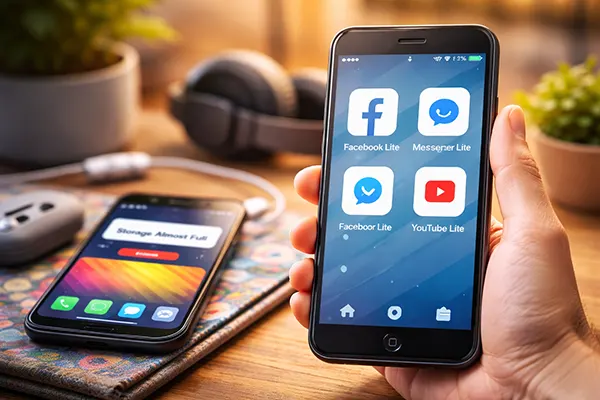
Lite versions of mobile applications have become a practical response to the reality that not all users own powerful smartphones or have access to fast and affordable mobile internet. By 2025, the gap between flagship devices and budget models remains significant, and Lite apps continue to address this imbalance. They are designed to keep essential functionality while reducing technical demands, making everyday digital services accessible to a wider audience.
What Is Reduced in Lite Versions of Mobile Applications
The most noticeable difference between a standard app and its Lite version is the scope of features. Developers deliberately remove secondary functions that are not critical for the core user tasks. This often includes advanced animations, background processes, and extended personalisation options that require additional processing power.
Another common reduction concerns multimedia handling. Lite apps typically limit video quality, disable auto-play features, or reduce the number of images loaded at once. This approach lowers both data usage and CPU load, which is essential for older smartphones with limited hardware capabilities.
Integration with external services is also often simplified. For example, some Lite versions do not support third-party extensions, advanced notifications, or deep system-level interactions. While this narrows functionality, it helps ensure stable performance on devices with outdated operating systems.
Examples of Feature Simplification in Popular Lite Apps
Facebook Lite is a clear example of strategic feature reduction. It focuses on text posts, basic images, and essential interactions such as likes and comments. Advanced elements like complex animations, Stories effects, and some marketplace features are either simplified or removed entirely.
Messenger Lite follows a similar logic by prioritising text messages and basic media sharing. Voice calls may be available, but video calls, interactive stickers, and large animated content are often excluded. This allows the app to function reliably even on devices with minimal RAM.
YouTube Lite, where available, places strict limits on video resolution and background playback. Users can still watch content, but without high-definition streaming or advanced recommendation algorithms, which significantly reduces data consumption and processing requirements.
Data and Storage Savings as a Key Advantage
One of the main reasons users choose Lite apps is their reduced size. A standard application may require hundreds of megabytes after updates and cached data, while a Lite version often stays under 20–30 MB. This difference is critical for smartphones with limited internal storage.
Data usage is another major factor. Lite apps are optimised to consume fewer mobile data resources by compressing content and limiting background synchronisation. This makes them particularly useful in regions where mobile data is expensive or unstable.
Battery efficiency should also be mentioned. By reducing background activity and system load, Lite versions generally consume less power. For users with older batteries or devices that struggle to last a full day, this can noticeably improve everyday usability.
Why These Optimisations Matter for Budget Devices
Older smartphones often have limited RAM, slower processors, and outdated operating systems. Standard applications may technically install on such devices but perform poorly, with frequent freezes or crashes. Lite apps are specifically built to avoid these issues.
Lower hardware requirements also mean fewer compatibility problems after updates. While full versions may gradually drop support for older systems, Lite editions tend to maintain broader compatibility for longer periods.
For users who rely on a single device for communication, navigation, and basic entertainment, stability is more important than advanced features. Lite applications prioritise consistent performance over visual complexity.
When the Full Version Is the Better Choice
Despite their advantages, Lite apps are not suitable for everyone. Users with modern smartphones and reliable internet connections may find Lite versions too limited for their needs. Advanced tools, detailed settings, and richer interfaces are often essential for professional or intensive use.
Content creators, for example, usually require full access to editing tools, analytics, and high-quality media uploads. These features are rarely available in Lite editions, as they demand more processing power and data.
Security and account management options can also be more comprehensive in full versions. While Lite apps are generally safe, advanced privacy controls or multi-factor authentication features may be restricted.
Choosing Between Lite and Standard Apps in 2025
The choice between a Lite and a full application should be based on realistic usage conditions rather than marketing claims. Device specifications, storage capacity, and data availability remain the most important criteria.
Users of budget or ageing smartphones benefit most from Lite versions, especially for communication and basic content consumption. In contrast, those who rely on complex workflows or high-quality media are better served by standard apps.
By 2025, Lite applications are no longer temporary alternatives but stable solutions for millions of users worldwide. Understanding their limitations and strengths allows users to select the version that genuinely fits their daily digital habits.